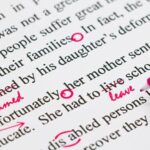
Many people say you can’t self-edit. That hiring a professional is the best practice. Don’t get me wrong… if you can afford it, a professional editor is absolutely the right way to go. However, sometimes you just can’t swing the price for every book. That, and even a professional will appreciate the cleanest copy you can provide.
Here, I’ll go through what I personally do to self-edit my work, and why each step is important and makes for a cleaner copy. Following this, you can either use the clean copy to publish, or find the editors and proofreaders in your budget, knowing they’ll have a lot less work to do.
1st- Alpha Readers
Alpha Readers are your first line of defense. They read the book as you’re writing it, and help you refine the story while it’s being written. They are invaluable, as sometimes we’re too close to our own material and can’t tell when something isn’t working quite right.
Alphas can give you instant feedback per chapter… they catch if you’ve accidentally changed names or eye color, if you mentioned a character doing something in one chapter and lost track of them in the next. If something doesn’t make sense, they let you know.
Basically, they are your sounding boards and guide your writing to make it the best it can be as you’re working on it. This means things can get fixed far easier, since you don’t have to re-write entire sections of a completed book… they’re spotting things as chapters are being written. It’s much easier to correct the mistakes early in the writing process.
2nd- Word Processor Switching
Our brains are wired to recognize patterns, and once we recognize them, we pretty much start skipping over them. This is partly why others insist we shouldn’t edit our own work… we know what word is supposed to be there, so our brain replaces the mistake with the correction automatically.
However, there are ways to negate this and ‘trick’ our own brains! After you’ve written your first draft, first, take a rest for a week or two. A month or so is better if you can swing it, but I know some don’t have that long in their publishing schedule.
When you’re ready, go back to it. In your regular writing software, adjust the zoom until you’re reading one or two paragraphs at a time. At the larger text size, you’ve changed what your brain is used to seeing, so it’s forced to adjust. You’ll catch some typos and mistakes here.
Next, switch programs. I generally write in Open Office. For this step, I’ll copy/paste the entire document into Word and check for any red lines there. After, I’ll do the same thing in Google Docs. This works because every word processor has a different grammar checker and different things it considers errors. When you utilize multiple ones, they’ll find different things the others may have missed.
I used to use Grammarly and ProWritingAid, but I found them too heavy-handed with far too many options. I ended up wasting more time trying to figure out what tools were best, what options were actually valuable to me, and whether the things being pointed out were actually errors or not. For some, they’re great. For me, they just didn’t work well in my process. Your mileage may vary, feel free to try them!
3rd- Ebook Formats
After I’ve used a couple different word processors and the document is as clean as I think it can be, I switch formats. Since it isn’t ready for print yet, I use a program online to convert my ODT file to an Epub. Generally Convertio or something similar. It won’t be fancy and will likely be badly formatted, but that isn’t the point at the moment, I just need it to be an Epub.
Once I have an Epub file, I can use Send To Kindle to send the file to my Kindle. (If you have another Ereader, simply look up what formats it accepts and how to sideload your book to it.)
There, I can read it as an Ebook, which is yet another switch of format to trick my brain. I usually read it on my Ereader while my laptop is open in front of me. This way, any further errors I find, I can edit in the open document as I go. By the time I’m done with this step, it’s generally as clean as I can make it.
4th- Editors, Proofreaders, Beta Readers
At this point, you’ve done everything you can. If you’re going to send it on to professionals, you’ve cleaned it up enough that they can focus on the bigger picture and less on typos and easy things. You’re paying for the quality of work they can provide, and not on easily remedied things. This saves you money, because editors charge usually by word or by time, and you’ve saved them time and words by giving them a clean manuscript.
If you’re not sending to professionals, you can move on to sending the file to beta readers. If they catch anything you missed, some will let you know. If you’d like them to, simply add it to your requests for their beta reads. However, DO keep in mind, beta readers are not proofreaders and this isn’t really their job. It’s nice when they do it, but don’t expect it.
Final Notes-
In a future article, I’ll go through Alpha/Beta/ARC readers in more depth so you are aware of what they are, what they do, and when to utilize them. But for now, I’ll leave you with this one last pearl of wisdom.
There will always be stubborn typos and mistakes that make it through all of these rounds. Yes, even if you go through step 4 and hire the professionals. There are trad-published books on the bestsellers lists that have typos. No one is infallible.
A study by Dr. Ray Panko from the University of Hawaii measuring human errors in proofreading found professional proofreaders caught, on average, 81% of nonword errors and 66% of word errors in proofreading experiments.
We aren’t chasing perfection. We simply can’t, it’s impossible. We are chasing the smallest amount of acceptable errors within our budget that doesn’t affect the reader experience. That’s the goal, and it is achievable… whether you are self-editing or utilizing paid editors. One requires money, one requires time and dedication. Both are valid and help turn your manuscript into a clean, polished book. The only truly unreadable book is the one we haven’t written yet.